



Brief Answer
Most clinicians can use the same AI documentation platform for both telehealth and in person visits, but with different settings and habits. Telehealth often has cleaner audio from the call itself but needs clear consent and attention to what the video platform records. In person visits depend more on room microphones, background noise, and starting and stopping capture at the right time.
You usually do not need two different vendors. What you do need is one tool that supports both workflows, lets you control when recording happens, and can also work from a short post visit summary when live capture is not ideal.
The Longer Answer
A useful way to think about this is to compare the environments, then decide if you need one platform with two configurations or entirely separate tools.
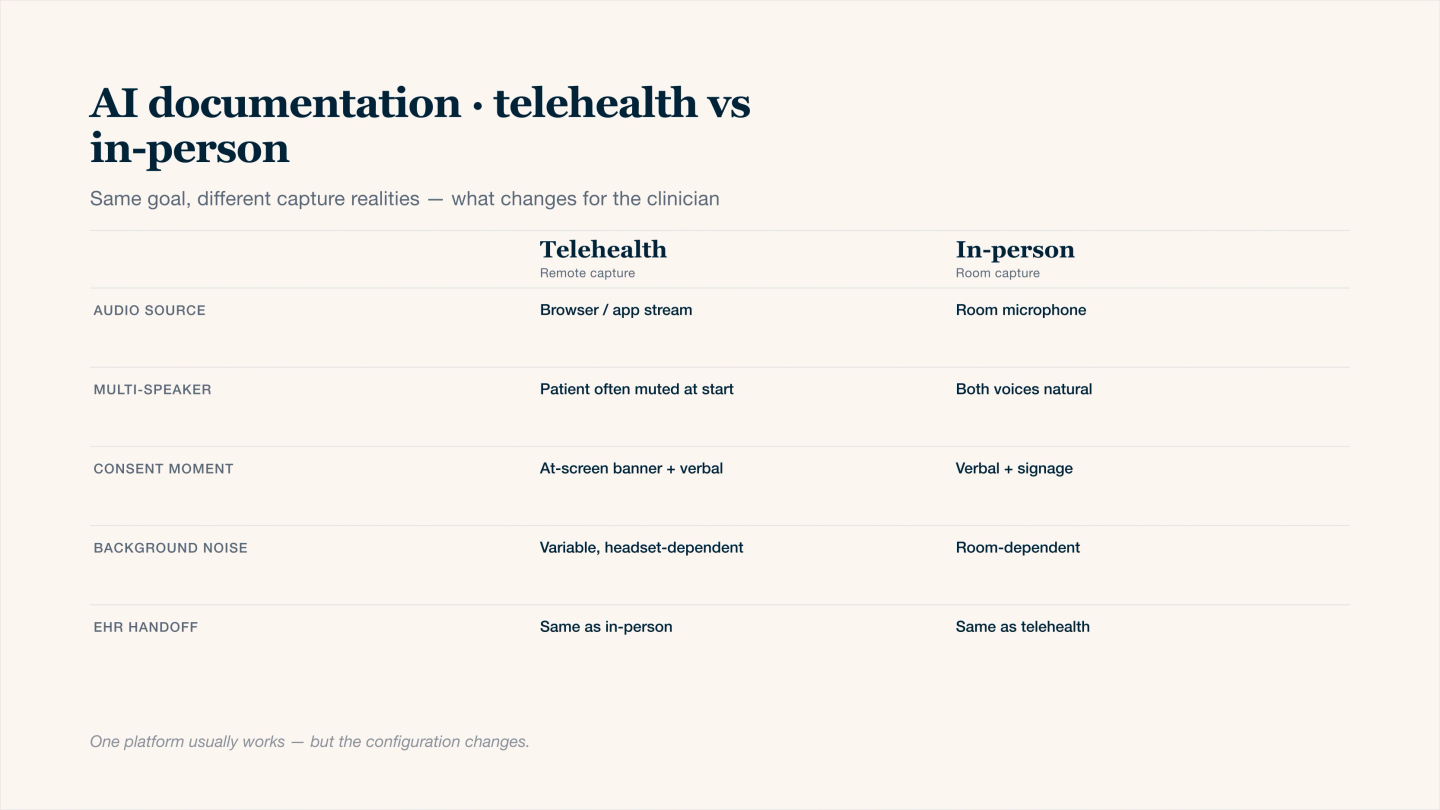
Same AI scribe, different capture realities — what changes between telehealth and in-person.
Comparison at a glance
Dimension | Telehealth visits | In person visits | Same tool considerations |
|---|---|---|---|
Audio source | Direct from video platform or headset | Room mic, laptop, phone, or external mic | Tool must handle both direct feed and open room audio |
Noise profile | Compression, internet lag, talk over each other | Background office noise, distance from mic, paper, keyboards | Noise robust models and good mic placement matter |
Consent conversation | Usually at start of video, can be scripted | Often at check in or in room, more informal | One simple script adapted for both settings |
Privacy risks | Household members near patient, screen recording by others | People passing by exam room, thin walls | Ability to pause or mute during sensitive moments |
Start and stop workflow | Tied to video session start or a button inside the platform | Manual start and stop per encounter | Tool should make capture controls obvious and fast |
Use of summaries | Easy to dictate summary directly into browser after call | Easy to dictate between room changes or at workstation | Same summary based workflow works in both contexts |
Telehealth specific considerations
- Audio is often closer to the speaker which can improve transcription, but internet lag and talk over each other can confuse models. A headset or clear mic input helps a lot.
- You should be explicit about consent. Many clinicians use a one sentence script near the start of the call and document acceptance in the note.
- Make sure the AI tool and the telehealth platform both meet your privacy and security standards and that no recording is being stored outside of what you expect.
- For group visits or family members joining, clarify who is speaking and when. Saying brief labels such as “patient” or “parent” out loud can improve attribution in the note.
In person specific considerations
- Mic placement is critical. If the device is too far away or near a noisy workstation, the transcript quality drops and you end up editing more.
- You need a reliable habit for starting capture when you enter the room and stopping when you leave, so you are not recording hallway conversations or other patients.
- For physical exams, rustling, paper, and movement can interfere with clarity. Some clinicians switch to a short spoken summary at the end of the visit instead of full ambient capture.
- If you do team based visits, identify speakers briefly so the AI can separate your reasoning from nursing or other staff comments.
When a single platform is usually enough
Most clinicians can stay with one AI scribe platform if all of these are true:
- It can capture from both browser based telehealth and a physical device in the room.
- It supports quick manual start, pause, and stop so you can control capture in both contexts.
- It can work either from full conversation audio or from a short dictated summary.
- You can adjust templates and prompts once, then reuse them for both settings.
In practice, the platform stays the same while you change the input source and small workflow details.
When separate configurations help
You rarely need two different vendors, but you may want two different configurations inside the same tool.
Scenario | Helpful configuration choice |
|---|---|
Video heavy days | Use a telehealth profile with default headset input and shorter prompts that focus on history, assessment, and plan |
Clinic heavy days | Use an in person profile with more emphasis on exam findings and room noise handling |
Sensitive or high risk visits | Turn off full capture and use a “summary only” profile where you dictate a recap after the visit |
Mixed schedule with tight turnaround | Keep both profiles available and decide per visit which one fits the encounter and the patient preference |
Treat these as presets rather than separate products. This keeps your review and note style consistent.
Operational checklist
A quick checklist you can apply to both telehealth and in person use:
- Decide how you obtain and document consent in each setting.
- Pick your default mode for each context: full capture or summary only.
- Standardize where you review drafts and how long you spend per note.
- Test audio in both environments and adjust mic placement or devices once.
- Make sure you can reliably pause or stop capture when needed.
Once these pieces are stable, it becomes much easier to use one AI documentation stack across both telehealth and in person days.