


AI SOAP note tools can streamline clinical workflows, but their effectiveness depends on clear, high‑quality audio. Whether there is a clattering keyboard or static microphone noise, these sounds can mess up the audio quality, forcing your AI SOAP note tool to "guess" what was said. These guesses often manifest as hallucinations in your documentation, negatively affecting patient care. Discover why the acoustic chain breaks, and how to fix it to ensure accurate transcriptions.
The Acoustic Chain: From Sound to SOAP Note
The conversation passes from your mouth, through a microphone, and into the AI tool. If it's distorted along the way, the AI will produce an inaccurate SOAP note.
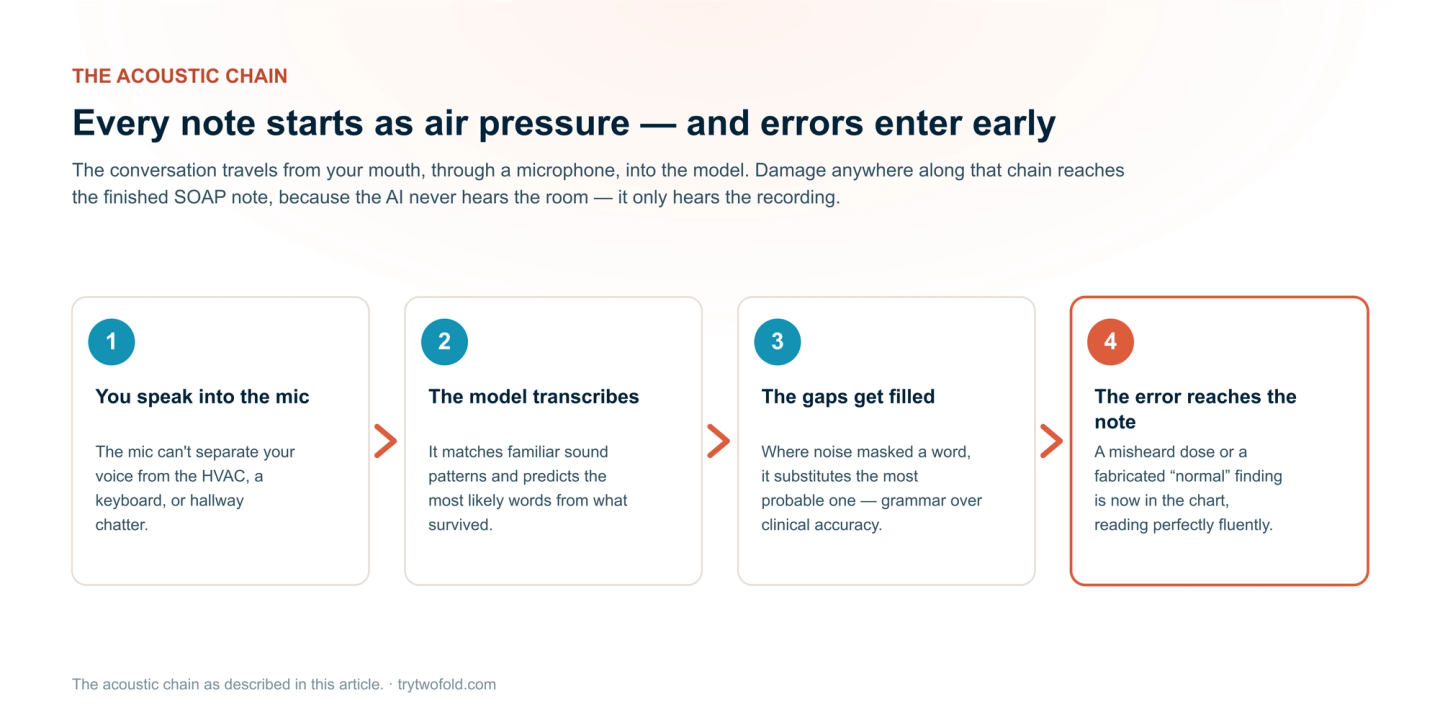
Step 1: Speaking into the Mic
Your voice creates vibrations, but so does everything else in the room: the AC, a tapping keyboard, or distant chatter. The microphone doesn't know the difference; it just captures everything at once. If the background noise is louder than your voice, the AI is already starting with a messy signal.
Step 2: The AI Tries to Listen and Process It
Now your AI scribe tool receives that noisy recording and tries to transcribe it. To do this, it listens for familiar sound patterns and guesses the most likely words. To compensate, it guesses based on grammar and context, which is where the hallucinations come in.
How Acoustic Noise Works (Types and Sources)
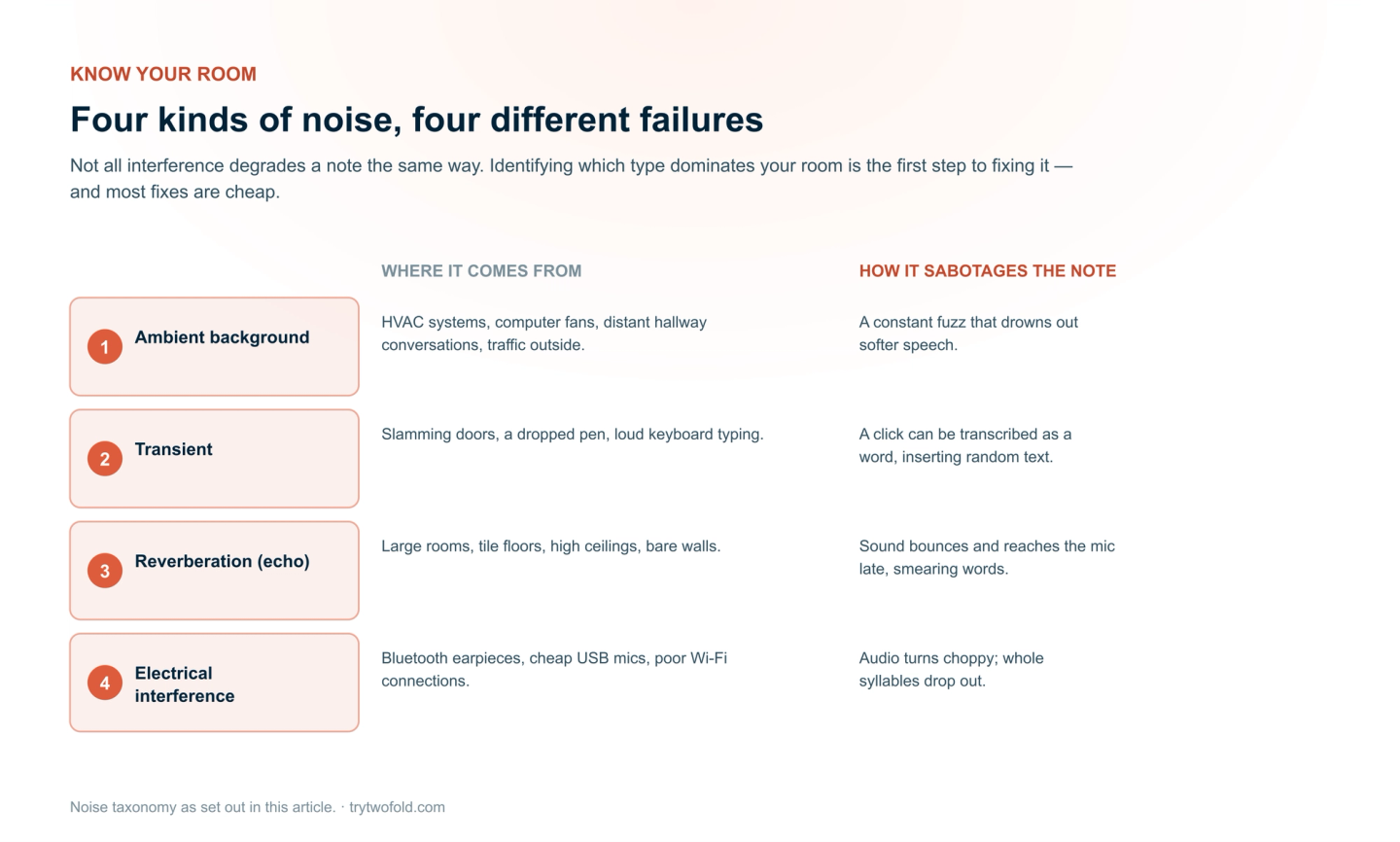
If you walk into any busy clinic or hospital exam room, it is rarely silent. Different sounds confuse the AI in different ways. Understanding the type of noise in your environment is the first step toward eliminating it. Here is a breakdown of the four main types of acoustic noise.
Noise Type | Common Examples | How it Sabotages your SOAP Notes |
|---|---|---|
Ambient Background | HVAC systems, computer fans, distant hallway conversations, traffic outside. | Creates a constant "fuzz" that drowns out soft speech. |
Transient | Slamming doors, dropping a pen, loud keyboard typing. | It may mistakenly transcribe a keyboard click or background conversation as a spoken word, inserting random text into your SOAP note. |
Reverberation (Echo) | Large rooms, tile floors, high ceilings, empty walls | Sound waves bounce off hard surfaces and reach the mic a split second later. |
Electrical Interference | Bluetooth earpieces, cheap USB mics, poor Wi-Fi connections. | The audio gets compressed and choppy. The AI loses entire syllables or parts of words, leaving gaps in the transcription. |
The "Hallucination" Effect: How the AI ‘Fills in the Blanks’
A hallucination occurs when your AI scribe tool generates incorrect information because it couldn't clearly hear what was said.
How Noise Triggers Hallucinations
When background noise masks a word, the AI scans its language database and predicts the most statistically probable word based on context. The problem with this is it prioritizes grammatical correctness over clinical accuracy.
The Clinical Risks
- Medication Errors: Misheard dosages (2mg vs. 20mg)
- Missed Diagnoses: Hallucinated "normal" findings
- Treatment Delays: Fabricated "improvement" notes
Solutions: How to Get Cleaner Audio for AI SOAP Notes
With a few practical adjustments, you can dramatically improve your audio quality and protect your AI SOAP notes from errors. Best of all, most fixes are simple and affordable.
1. Upgrade Your Hardware
Your built‑in laptop microphone is not the only option.
Choose one of these instead:
- USB condenser mic: Clear audio, affordable, desk-friendly.
- Wireless lapel mic: Picks up only your voice, hands-free.
- Professional headset: Blocks background noise, consistent positioning.
2. Control Your Environment
Hard surfaces create echo, and open windows let in noise.
Quick fixes:
- Move away from AC vents, windows, and hallway doors.
- Add carpets, curtains, or acoustic panels to absorb sound.
- Close the door and turn off fans, printers, and extra monitors.
3. Master the Speaking Position
Distance and angle matter.
- Keep the mic 6-8 inches from your mouth.
- Speak at a consistent volume; no whispering or shouting.
- Face the mic and don't turn your head while speaking.
4. Test Before You Go Live
Record a 30‑second sample and listen back. Ask yourself:
- Can I hear background noise?
- Does my voice sound clear or muffled?
- Is there echo or distortion?
Conclusion
Acoustic noise isn't a minor nuisance; it's one of the primary drivers of AI scribe errors. From room echo to cheap microphones, every sound that interferes with your recording forces your AI SOAP note tool to guess, and when AI guesses, it hallucinates. The solution is to upgrade your hardware, control your environment, and filter your audio. Start with one change today and test the difference. Your AI SOAP notes deserve clear audio, and your patients deserve accurate records.