


For high‑volume practices seeing a multitude of patients daily, SOAP notes become an overlooked cause of low productivity. Even with AI scribes, many clinicians still spend hours after shifts editing unstructured drafts. To truly save time with AI SOAP notes, you need an intentional workflow design change with structured outputs and customization. Explore how to utilize an AI medical scribe for high‑volume practices, so you can leave the clinic on time, without compromising clinical quality.
Why Most AI SOAP Notes Fail in High-Volume Settings
High‑volume clinical environments (urgent care, outpatient surgery, and large primary care groups) require documentation that is fast, structured, and immediately actionable. Many AI SOAP note solutions underperform in these settings due to design and training flaws.
The "Speed vs. Accuracy" Trade Off
The perceived trade‑off between quick note generation and clinical accuracy is often a function of poor AI output design, e.g., black box, not an inherent limitation of automation. In practice, many AI tools fail to deliver on both ends.
Key Failure Instances In High-Volume Workflows
- Generation Time Exceeds The Available Documentation Window
- Between patient encounters, clinicians typically have a few minutes to review and finalize a note.
- AI systems requiring longer than 5 minutes to produce a draft create workflow delay, leading to either rushed edits or scheduling issues.
- Excessive Verbosity Increases Editing Burden
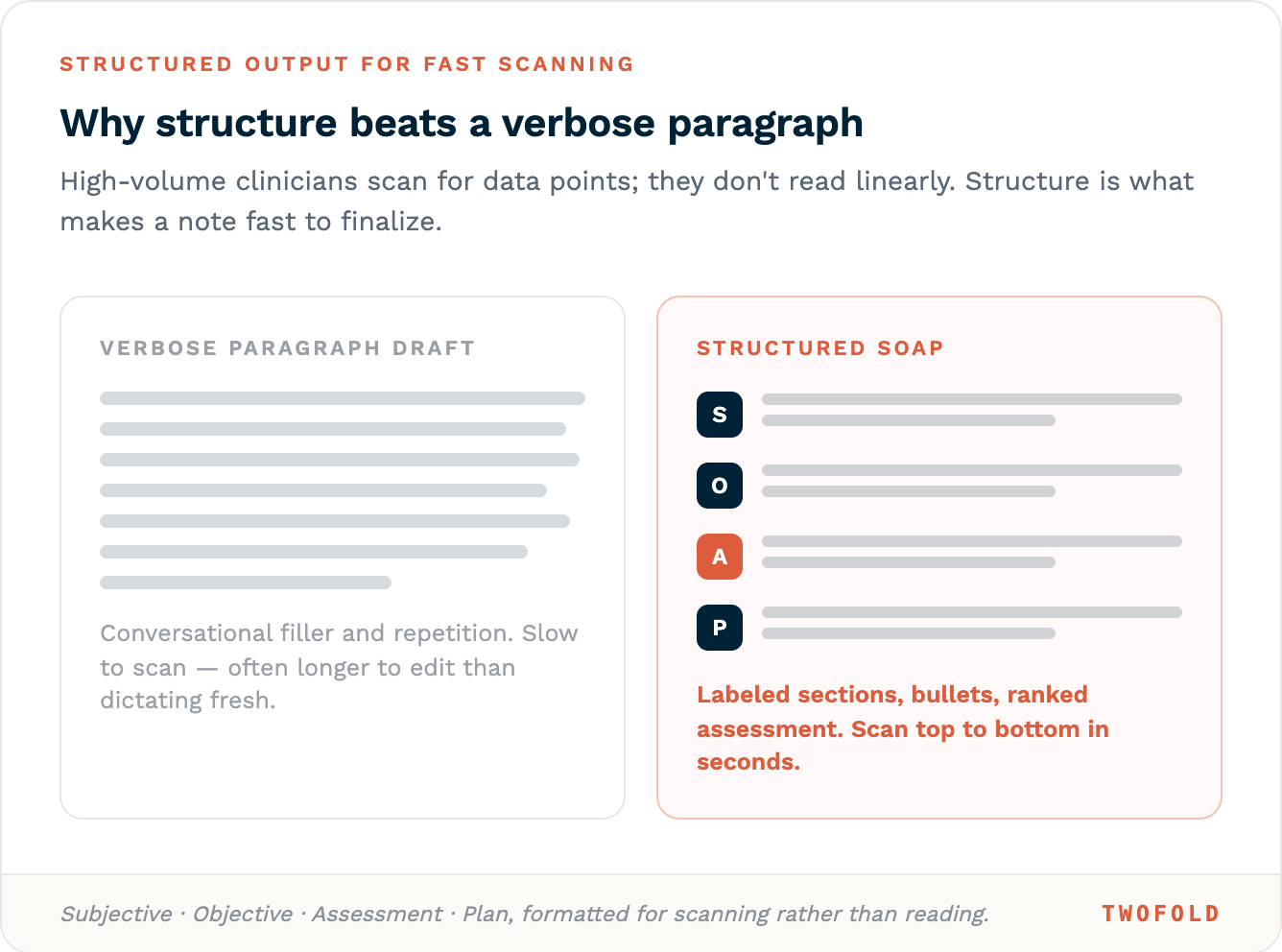
- Many AI scribes generate paragraph-style summaries that include conversational filler, repetition, and non-essential details.
- Editing an unstructured paragraph to extract relevant clinical data often takes longer than dictating a concise note from scratch.
- Lack Of Structural Consistency Slows Visual Scanning
- High-volume clinicians rely on predictable formatting (bullets, tables, labeled sections) to locate key information rapidly.
- Unstructured or variable outputs force repeated re-reading, increasing cognitive load and error risk.
- Hallucinations Require Verification
- Some AI tools hallucinate exam findings or historical details not mentioned during the encounter.
- Clinicians must independently verify each claim, a process that can negate any time savings from automation.
- One-Size-Fits-All Output Disregards Visit-Specific Needs
- A progress note, a post-op follow-up, and a new patient evaluation require different data densities and section emphases.
- Generic templates generate irrelevant content that must be manually deleted for every patient.
See more on why the one-size-fits-all model does not work for documentation.
Workflow Design Principles That Actually Save Time
Time savings from AI SOAP notes do not occur by default. They require deliberate workflow structuring using the following three design principles:
Principle 1: Parallel Documentation (Not Sequential)
In traditional workflows, documentation occurs after patient contact. In optimized workflows, documentation occurs during patient contact, without competing for the clinician's attention.
Implementation Requirements
- Ambient listening technology captures the encounter in real time.
- AI processes audio and generates a draft while the clinician is still in the room.
- The draft appears within the EHR immediately after closing the encounter.
Learn more about how an AI scribe works during a patient visit.
Principle 2: Structured Outputs for Fast Scanning
High‑volume clinicians do not read notes linearly. They scan for specific data points. AI outputs must support this scanning behavior.
Step | Traditional SOAP | AI-Optimized (High-Volume Design) |
|---|---|---|
Data capture | Manual typing during conversation | Ambient listening with keyword extraction. |
Note structure | Free-text paragraphs | Bulleted SOAP (Subjective, Objective, Assessment, Plan) with missing fields flagged |
Review time per note | Minutes | Seconds |
Handoff to billing | Separate coding step | Auto-populated ICD-10 suggestions within the note |
Error detection | Manual review | Automated flagging of incomplete or contradictory entries |
Structuring Guidelines For AI Output
- Subjective: Chief complaint in the patient's own words. History of present illness in bullet points, not paragraphs.
- Objective: Vital signs, exam findings, and test results in labeled lists.
- Assessment: Differential diagnosis ranked by likelihood, with supporting evidence.
- Plan: Action items as a bulleted list, each with the owner (clinician, patient, or staff).
Principle 3: Template Customization Per Visit Type
A single SOAP template does not serve all visit types. High‑volume practices reduce editing time by pre‑configuring AI outputs for each common encounter.
Problem-Specific Template Examples
Visit Type | Required Sections | Omitted Sections |
|---|---|---|
Acute low back pain | HPI, focused neuro exam, pain plan | Full ROS, comprehensive physical |
Child wellness check | Growth chart, milestones, vaccine record | Detailed review of systems |
Post-op follow-up | Wound exam, pain score, return-to-activity plan | Complete history, and social history |
Workflow Integration
- Templates are triggered automatically based on appointment type in the EHR.
- Clinicians can override template selection.
- Custom fields (e.g., "last injection date") persist across visits for a given patient.
The 4-Step High-Volume AI SOAP Workflow
The following numbered workflow integrates the three principles above into a repeatable, room‑to‑room process.
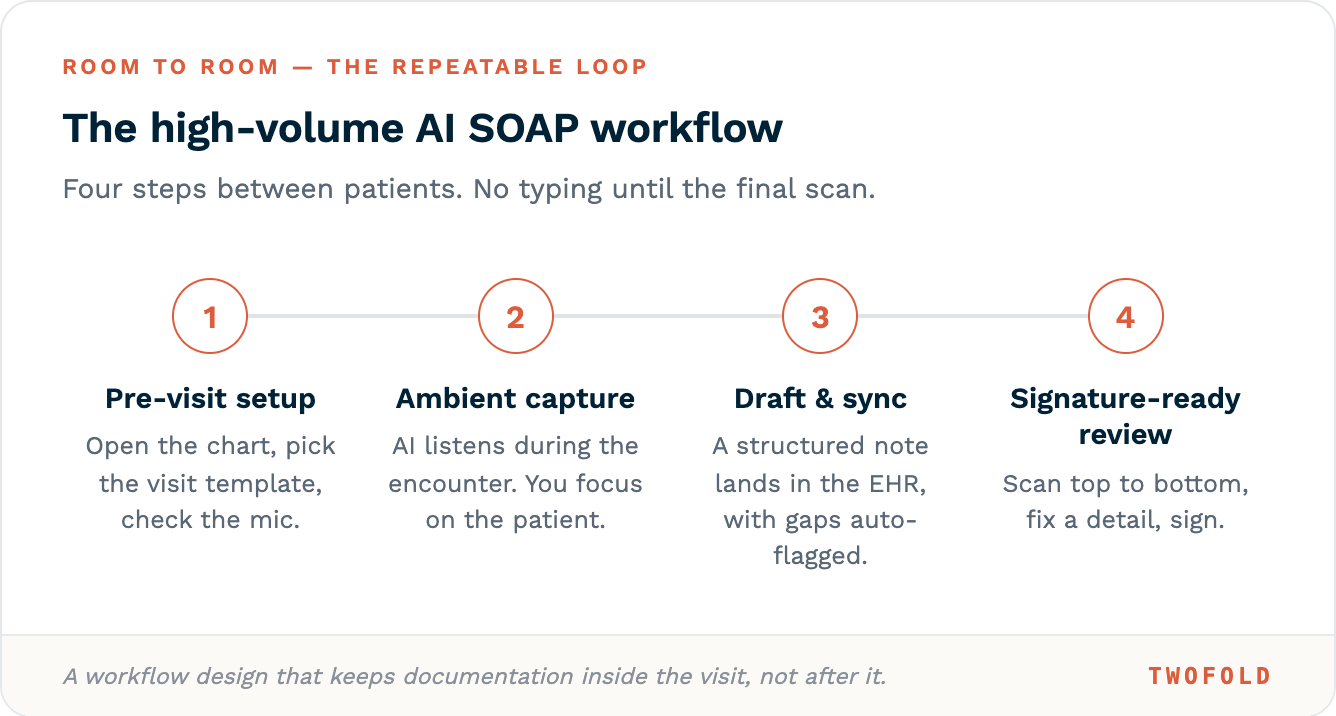
Step 1: Pre-Visit Setup
- From the EHR schedule view, open the patient chart.
- Click the AI SOAP note option.
- Select the appropriate template (e.g., "Post-op Day 14").
- Verify microphone access.
- No typing required during this step.
Step 2: Ambient Capture During Encounter
- AI listens via the device microphone (desktop mic, or tablet).
- No wake words, no manual start/stop after initiation.
- AI extracts in real time:
- Chief complaint and duration.
- Review of systems positives (and notable negatives).
- Exam findings as they are spoken.
- Assessment language (e.g., "likely shoulder dislocation").
- Plan elements (medications, referrals, return instructions).
- The clinician focuses entirely on patient interaction.
Step 3: Post-Encounter Draft & Sync
- Clinician clicks "End Visit".
- AI pushes the structured SOAP note directly into the EHR's note field.
- Auto-flagging occurs for:
- Missing required elements (e.g., "No medication allergy documented").
- Contradictory information.
- Potential billing code mismatches.
Step 4: Signature-Ready Review
- Clinician scans the SOAP note from top to bottom.
- Typical edits required in high-volume settings:
- Add one missing detail (e.g., "patient declined imaging").
- Correct one AI misinterpretation/hallucination (e.g., misspelling of a medication).
- Sign electronically.
Conclusion
Transcription without workflow design will only increase the editing burden in a high‑volume workflow. The principles outlined above transform AI into an efficiency tool, and when designed for speed and structure, AI SOAP note tools turn clinical documentation from an evening obligation into a seamless byproduct of patient care, allowing clinicians to leave on time without compromising quality.